
- Every dance event in the country in one place: parties, classes, workshops and camps.
- You can search and filter as much as you like — no account needed for that.
- With an account you save what interests you, and we tell you when it is close or changes.
What you will find here
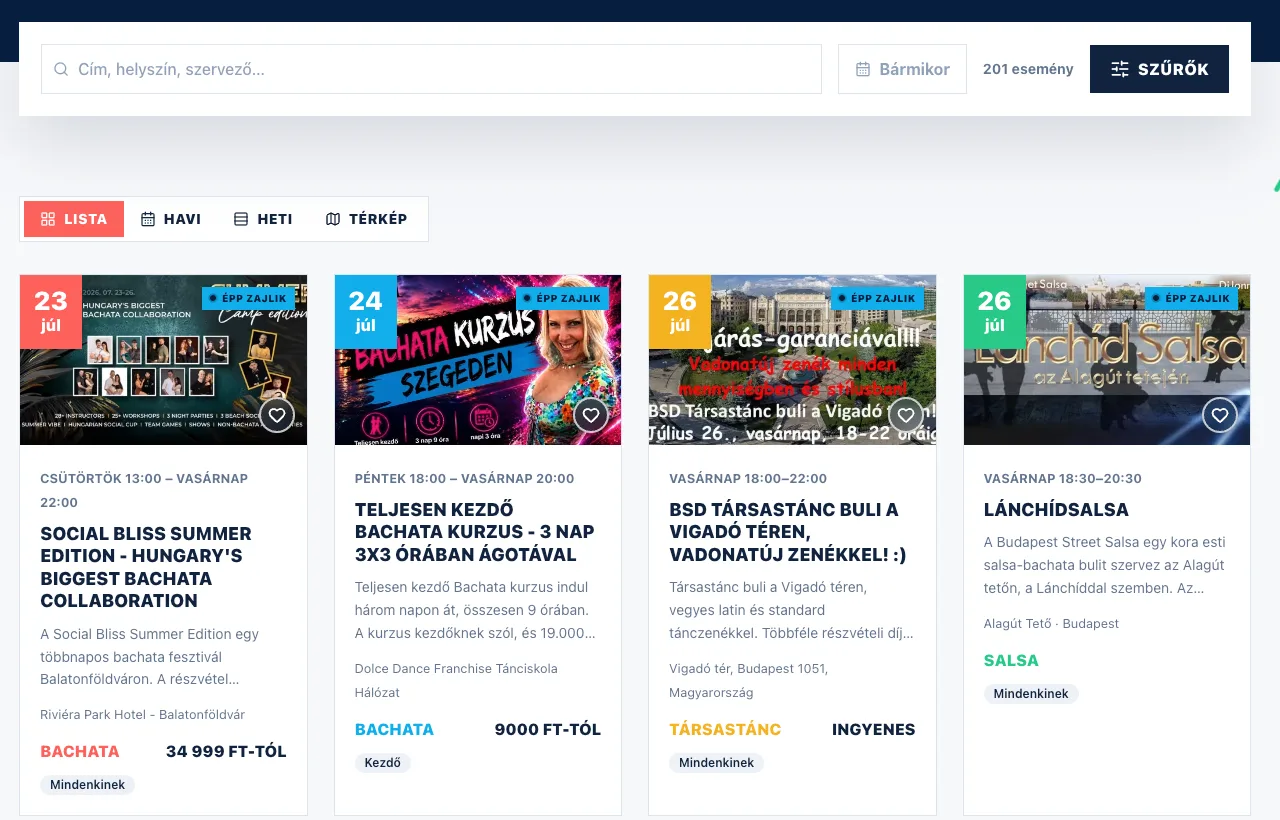
Every dance programme runs into a single list here: parties and ballroom nights, weekly classes and courses, one-day workshops, and multi-day camps and festivals. Each event shows the date, the venue, the dance style, the level and — where we have it — the price too.
Above the list you will find the search box and the view switcher: you can look at the same events as a list, in a monthly or weekly calendar, or on a map.
The four things you can do
- Find what interests you. Search for a title, a venue or an organizer name, or filter by type, dance style, city and dates. Search and filters
- Save it for yourself. The heart button puts an event aside for later, and the "Interested" and "Going" buttons say that you will be there. Favorites, "Going", following
- We tell you when it is close or changes. We send a reminder before the event, and let you know if it moves to another date or venue, or is cancelled. Notifications
- Put it on your phone. The site can go on your home screen as an app — and on an iPhone that is the only way notifications work. Installing it on your phone
If this is your first visit
On the home page, under the two big buttons, there is a row of short links titled "Popular searches" — for example "Salsa parties in Budapest". One tap takes you to the matching, pre-filtered list.
A bar may also come up at the bottom of the page, offering to set the home page up for you. The "Set it up" button opens three short questions: what you dance, where you are looking, and what you are after (party, class, workshop, festival, camp or something else). None of them has to be answered — every step has a "Skip", and at the bottom of the sheet there is "Skip the whole thing". If you are not interested right now, "Not now" makes it go away.
When you pick a place, the "Near me" button uses your browser to work out the city closest to you. It only asks for anything once you tap it, and you can still pick from the list by hand afterwards.
When you come back
Once you have filled it in, the home page follows it: the big button takes you to your own filter, the chips offer your styles and your city, and a "For you" tab appears among the events. If there is no exact match, we write above the list what we loosened — that we are showing the whole country instead of your city, for example.
The bar at the top of the home page always shows what you set ("Your settings"). "Edit" opens the questions again, and "Clear" brings back the general home page. The setting stays in this browser, so on another device we will ask again.
What do you need an account for?
It all works without an account — browsing, searching and filtering, opening an event page, saving to your calendar and sharing. Feel free to look around first.
An account gives you the favourites list, the "Interested" / "Going" marks, reminders, notifications and personal recommendations. Signing up is free, and with a Google, Facebook or Apple account it is a single click. Account: signing up and logging in
In Hungarian, English, German or Spanish
In the header, next to the menu, there is a globe icon with the two-letter code of the current language. Click it and choose: Magyar, English, Deutsch or Español. You can switch from any page — you stay on the same page, just in the other language. Your choice is remembered for your next visit; if you are logged in, the emails and notifications we send you arrive in that language too.
Event descriptions are written by the organizers, usually in Hungarian — in every other language they appear exactly as the organizer wrote them. It is the interface around them that changes language.
If your browser is set to a language we also speak but you are not reading the site in it, we offer the switch once — in your own language. "Switch to English" (or its equivalent in the other languages) takes you to this same page in that language, and "No, thanks" puts the window away for good. You can always change your mind with the globe icon.