
Favorites, "Going", following
The difference between the heart, "Going" and following an organizer.
- The heart puts an event aside for you — nobody but you sees it.
- "Interested" and "Going" are your intention to turn up: these are what start the reminder.
- Follow an organizer and we tell you when they announce a new event.
The heart: saved for myself
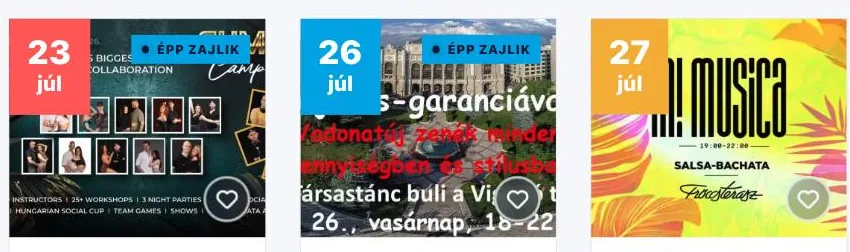
The heart button sits in the corner of the cover image in the list, and on the event page it is labelled "Add to favourites". One click and the event is on your own list — the label switches to "Favourite" and the heart stays filled in. This mark is for you only: neither the organizer nor other visitors see what you put aside. Click the same place again to take it off.
The heart needs you to be logged in: if you are not, the button takes you to the login page.
"Interested" and "Going": saying I will be there
The two buttons at the top of the event page are about your intention. "Interested" is the softer signal ("on my radar, but not certain yet"), "Going" is the firm one. The number next to the label shows how many people marked the same thing — everybody sees this, so the buttons also tell you how much buzz an event has. The two are two levels of the same signal: if you click "Going" after "Interested", the mark switches over — you will not have both ticked.
Whichever you pick, every morning we send one reminder covering everything waiting for you that day and up to early afternoon the next — a single letter, even if you marked several events. We also tell you if one moves to another date or venue. Click the same button again to take the signal back. On a cancelled event these two buttons do not show up. On a phone, "Going" and the heart stay within reach in a floating bar as you scroll down.

Following an organizer
With the "Follow" button on an organizer page you are not putting one occasion aside but keeping an eye on everything they do: we tell you when they announce a new event. The label then becomes "Following", and the same button is how you stop. The button is only on the organizer's own page — you get there from an event page, by clicking the organizer's name.

Where you find all of it
Once you are logged in, it is all together on the My account → My favorites page, on two tabs: Favorite events and Favorite organizers. The events you marked with the heart end up here — what you only marked "Interested" or "Going" is counted by the "Reminders" number on the Overview page.
Which signal gets you which message is something you set one by one. Notifications