
Account: signing up and logging in
Do you have to sign up? What needs an account, and the quickest way to log in.
- You can browse, search and filter without an account — signing up is free.
- Log in with one click using Facebook, Apple or Google, or with an email address and password.
- You can delete your account at any time: My account → Settings.
What needs an account and what does not
The whole listing is yours without an account: you can browse, search and filter, open an event page, put it in your own calendar with the "Add to calendar" button, share it, and get directions to the venue.
You do need to log in for the site to remember you:
Logging in with one click
There are three buttons at the top of the login screen — Facebook, Apple and Google. If you log in with one of them, you do not have to invent and remember a new password — and every login after that is a single click too.
The first time, one more screen comes up: "One more step". This is where you accept the Terms and Conditions and the Privacy Policy. Until you do, the features of your account stay out of reach.
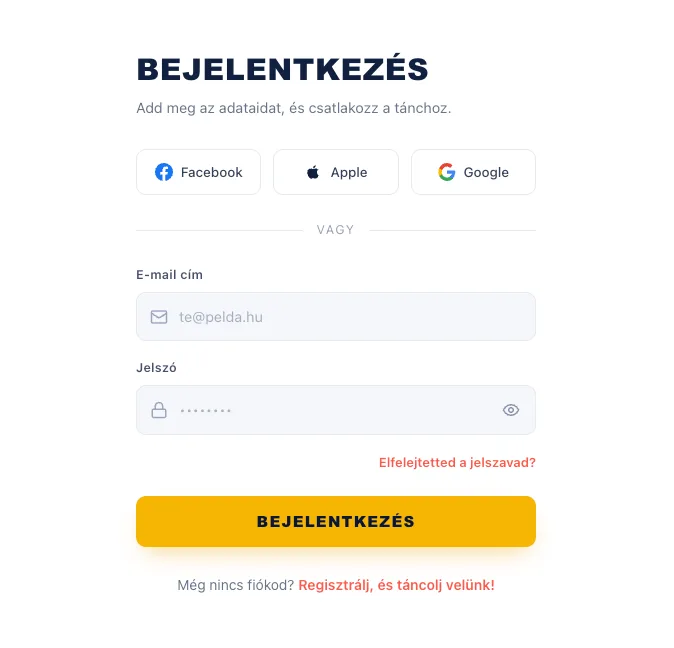
Signing up with an email address
If you would rather sign up with an email address and a password, fill in the form below the "or": name, email address and the password twice. To create the account you have to accept the Terms and Conditions and the Privacy Policy — without the tick the button stays inactive.
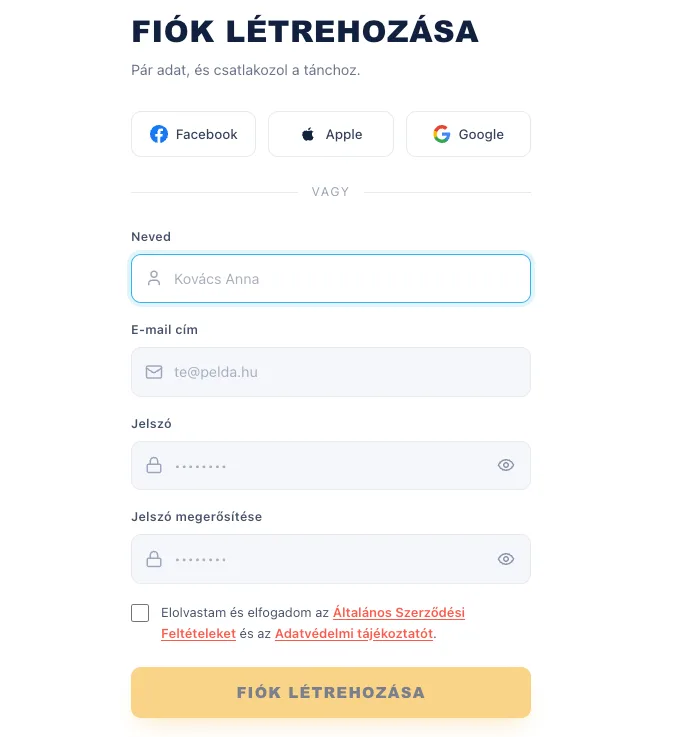
Email confirmation and a forgotten password
After signing up by email we send you a confirmation link; the account becomes usable once you click it. If it has not arrived, check your spam folder too, then press the "Resend confirmation email" button.
If you cannot remember your password, click the "Forgot your password?" link on the login screen. Give us your email address and we will send a link you can set a new one with.
Deleting your account
You can close your account at the bottom of the My account → Settings page, with the "Delete account" button. You then have to type the word DELETE — and your password too, if you signed up with one, because deletion is permanent: your favourites, your recommendation profiles and your settings are gone, and cannot be brought back.