
- A recommendation profile is a saved "this is what I am after" setting — you can have up to five.
- Every field can be left out: whatever you leave empty, we do not narrow down on.
- Your profiles shape the "Picked for you" block and your notifications, not the event list.
This is not the same as the home page setting
On the home page you can say what you dance and where you are looking in three short questions, without an account. That one only tailors the home page, only lives in that browser, and sends no notifications.
The recommendation profile described here can do a lot more: it belongs to your account, you can have several different ones, it takes the time of day, the level, the price and the distance into account, and it can send notifications. If you already set something up as a guest, we offer to carry it over into your first profile on the My account page.
What is a recommendation profile?
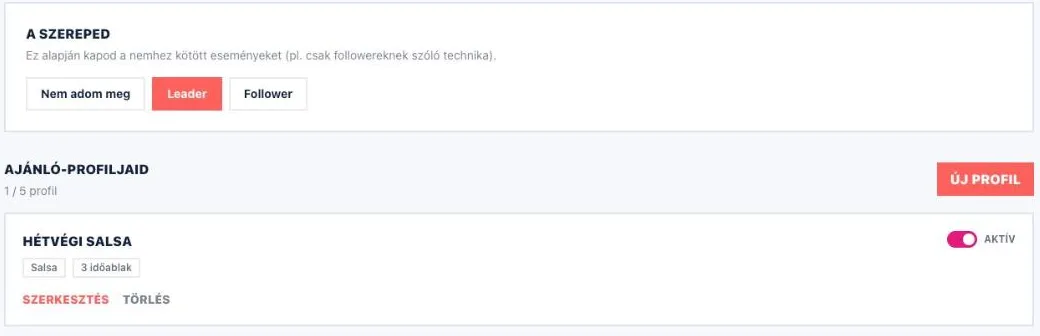
On the My account → Recommendations page you can save what kind of event you are after — "Weeknight evening salsa class", for example. That is a recommendation profile. The "New profile" button walks you through six short steps; of these only the name and at least one time slot are required, you can skip the rest and sharpen it later with the "Edit" button.
You can have up to five profiles, and each has its own switch: set to "Off" it stays, but recommends nothing.
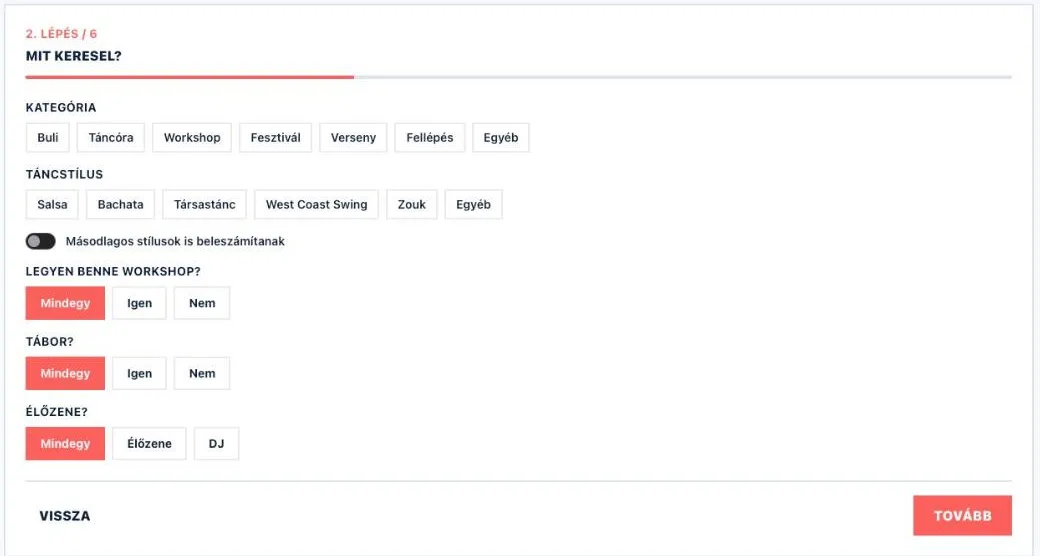
What you can set
- What are you looking for? Category (Party, Class, Workshop, Festival, Competition, Performance, Other) and dance style, with the "Count secondary styles too" switch next to it. You can ask for a workshop to be part of it, for it to be a camp, and for live music rather than a DJ.
- Where? One city and the Radius (km): the events of that city, plus the venues around it within that distance.
- When? Tick the days, give the earliest and the latest start, then "Add". This is about the start of the event.
- Who for? Level, and whether you have a dance partner.
- Price, organizers, notification. A maximum price, Favorite organizers (ranked higher) and Hidden organizers (never recommended) — for the last two you have to pick a dance style first.
None of the fields is required.
Your role: Leader or Follower
At the top of the Recommendations page, above the profiles, sits "Your role": "I would rather not say", "Leader" or "Follower". This is for the whole account, you do not set it per profile. It is how we know which gender-limited event is for you — a technique class announced for followers only, for example.
What the setting affects
Based on your active profiles, you get events in the "Picked for you" block of the My account → Overview page. We do not recommend again what you have already favourited.
In the last step of a profile you can turn on "Notify me right away when a new event matches this profile". This also needs the "Matches for your recommendation profiles" switch on the Notifications page; "Weekly picks" works from these profiles as well. Notifications
One thing to keep in mind: all of this affects the recommendations only and these notifications — it does not reshape the list and the filters on the Events page. Search and filters