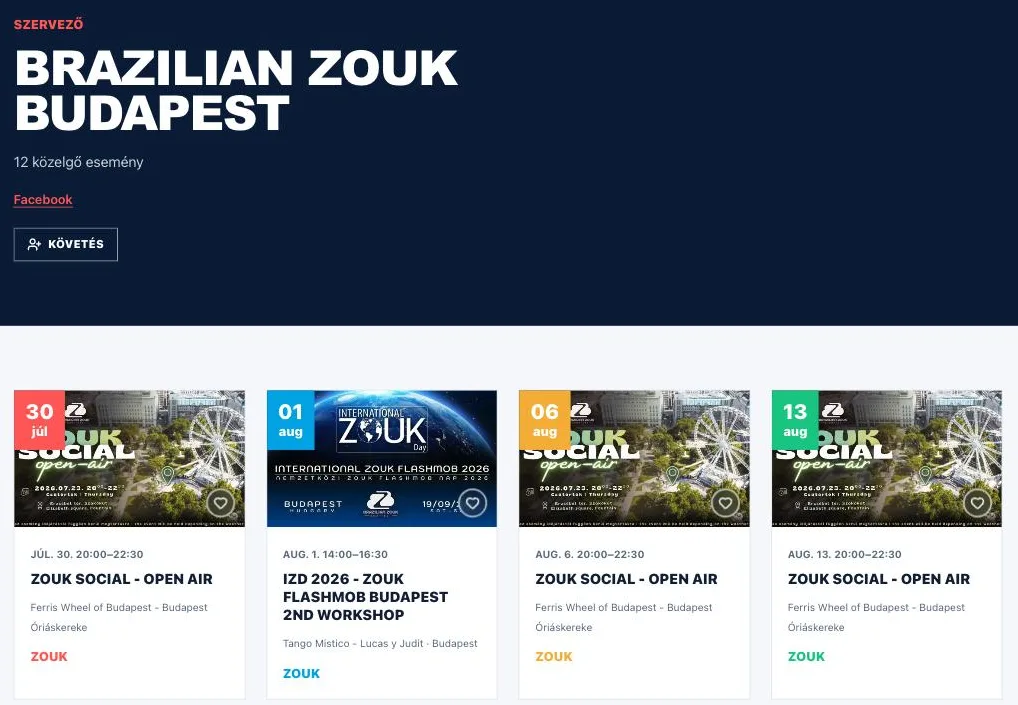
- Under the Venues menu item you browse the clubs by country, city or name.
- A venue page has the address, the map, and the upcoming and past events.
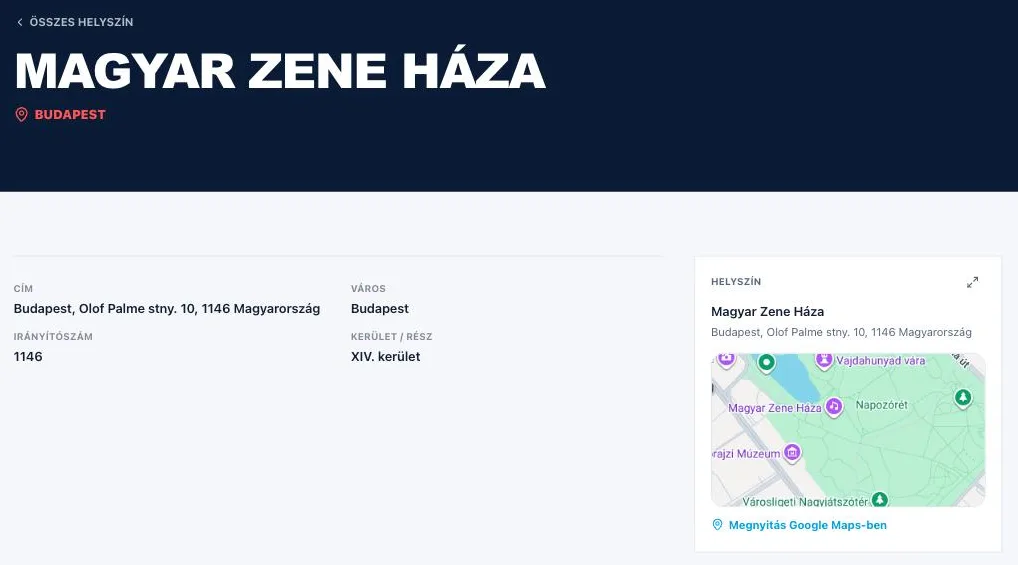
- On an organizer page, the "Follow" button asks us to tell you about their new events.
Browsing by venue
The Venues item in the header is the list of clubs, studios and open-air stages. You can type the name of a place into the search box as well as its address, and the Country and City dropdowns have the number of venues for each choice in brackets. The two work together: pick a country and the city list narrows down to it.
The number in the corner of a card shows how many events belong to that venue. Click the card and the venue's own page opens.
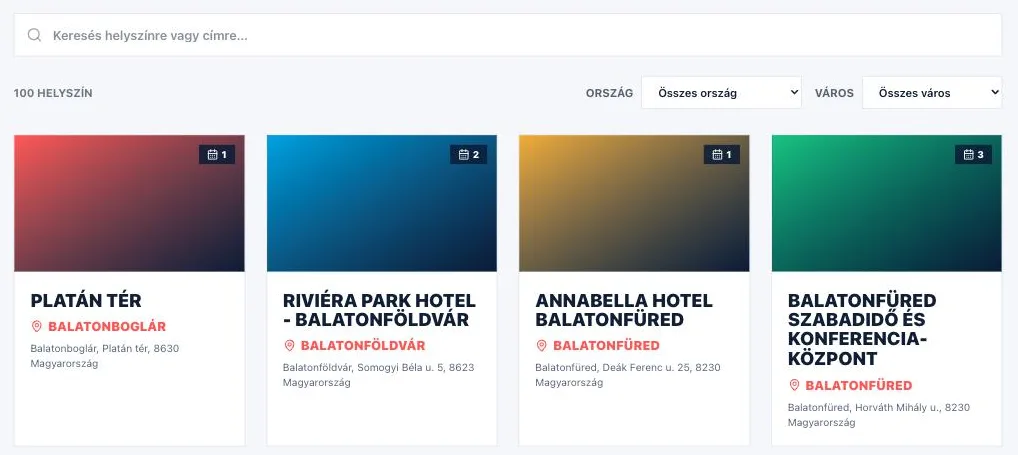
A venue page
The name of the place and its city are at the top of the page, with the exact address, the postcode and the district below. The map is on the right: the "Open in Google Maps" link starts the route planning, and the icon at the top right blows the map up to full screen.
Two lists follow further down: "Upcoming events" and "Past events", each with a count next to its heading. Twelve cards are visible at a time, the rest come up with the "Load more" button — the two lists page independently of each other. You end up in the same place if you click the name of the venue on an event page.
The organizer page and "Follow"
The road to an organizer leads through an event: their name is a link in two places on the event page — at the top, in the row above the title, and further down, at the Organizer detail. On their page you see their upcoming programmes together — or the past ones, if there are none coming — as well as their official links (Website, Facebook, Instagram).
The "Follow" button says that you are interested in what they do: the label then becomes "Following", and we tell you when they announce a new event. This needs you to be logged in, and the same button is how you stop. Favorites, "Going", following