
- Search for its name first, and clear the filters — often it is only those hiding it.
- If it really is not here, send it in on the "Submit an event" form.
- If a detail is wrong or out of date, write to us from the Contact page.
Try to find it another way first
Into the search box above the list you can type not only the title of the event but the name of the venue or the organizer too — so it can still come up if the title is not quite how you remember it.
The most common reason, though, is a filter you set earlier still being on. Open the "Filters" panel and press the "Clear all" button. If you are looking for a past occasion, switch off the "Upcoming events only" tick as well — it is on by default, and it hides earlier days. Search and filters

Send in the missing event
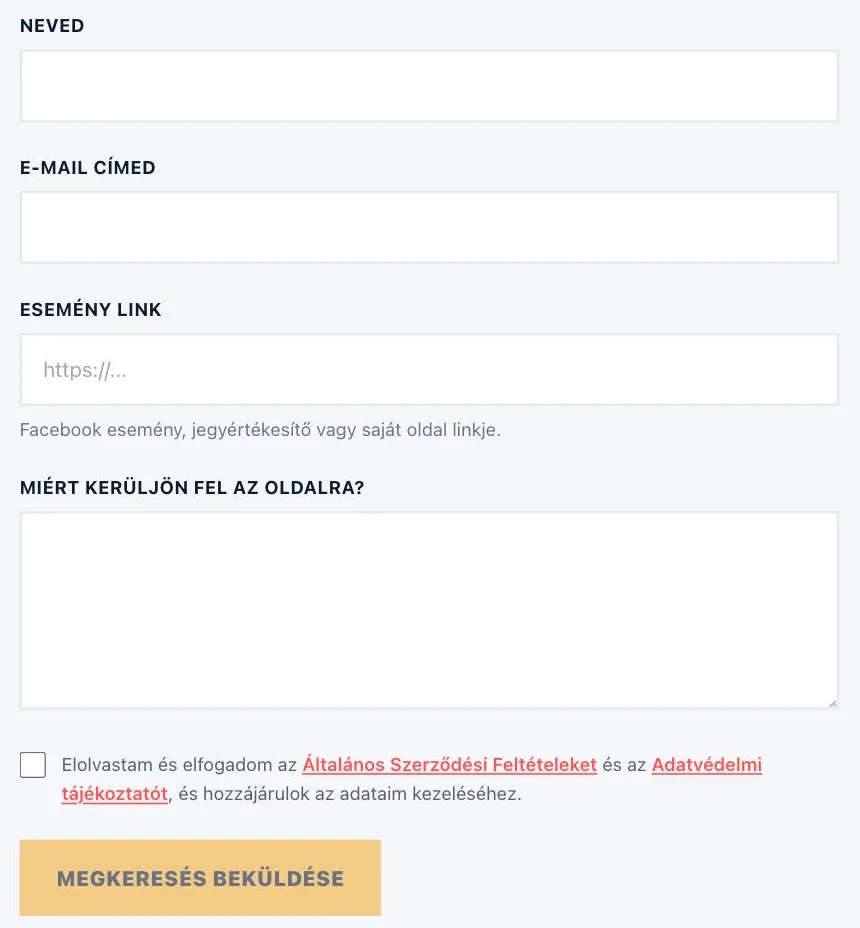
If it really is not here, send it in to us. You can reach the form from the "Submit an event" link in the footer and from the Contact page.
We ask for four fields, and all four are required: Your name, Your email address, Event link (a Facebook event, a ticket seller or the address of their own page), and finally "How did you hear about us?" — pick one of the listed options, and if you choose "Something else", tell us in a few words. Tick the consent at the bottom: without it the "Send request" button cannot be clicked. After sending, a confirmation message appears on the screen, and we look the request over.
If a detail is wrong or out of date
The wrong time, a venue that has changed, an old price, or an event that is no longer on? Write to us at the email address on the Contact page. The quickest way is to paste the link of the event page and say in one sentence what is off.